GOOGLE PLAY → ADS
Paste a Google Play link. Get a month of ads.
Vidscape reads your Google Play Store listing — screenshots, icon, art style, star rating and install count — and builds a full set of editable ads that look like your app and prove it's worth downloading.
- Real store rating, reviews and downloads — never invented
- TikTok, Reels, Stories and feed sizes in one batch
- Every video and image stays fully editable after generation
The fastest way to make Google Play ads from a URL
Making ads for an Android app usually means screenshotting your store page, fighting with a design tool, and exporting a dozen sizes by hand. Vidscape does the whole thing from one Google Play link.
Drop in your https://play.google.com/store/apps URL. Vidscape pulls your icon, screenshots, description, category, rating and download count, learns your colour palette and display font, then generates a batch of ad creatives sized for every channel — ready to download or keep editing.
Why creators use Vidscape for Play Store ads
Starts from your listing
No uploads, no briefs. The Google Play URL is the whole input — your real app is the source of truth.
Real social proof
Your actual star rating, review quotes and install milestones are pulled straight from the store, so the ad is honest and credible.
On-brand for games
Bold display type, vivid colours and your key art are detected automatically, so ads feel like your game — not a template.
Every size at once
9:16 stories, square feed posts and reels are generated together, all from the same campaign.
Fully editable output
Move the headline, swap a screenshot, change the CTA — every layer stays editable, unlike flat AI exports.
Powered by Claude
Claude writes the hooks, headlines and ad copy in your app's voice, then lays out each creative for you.
Real ads generated from a Google Play link
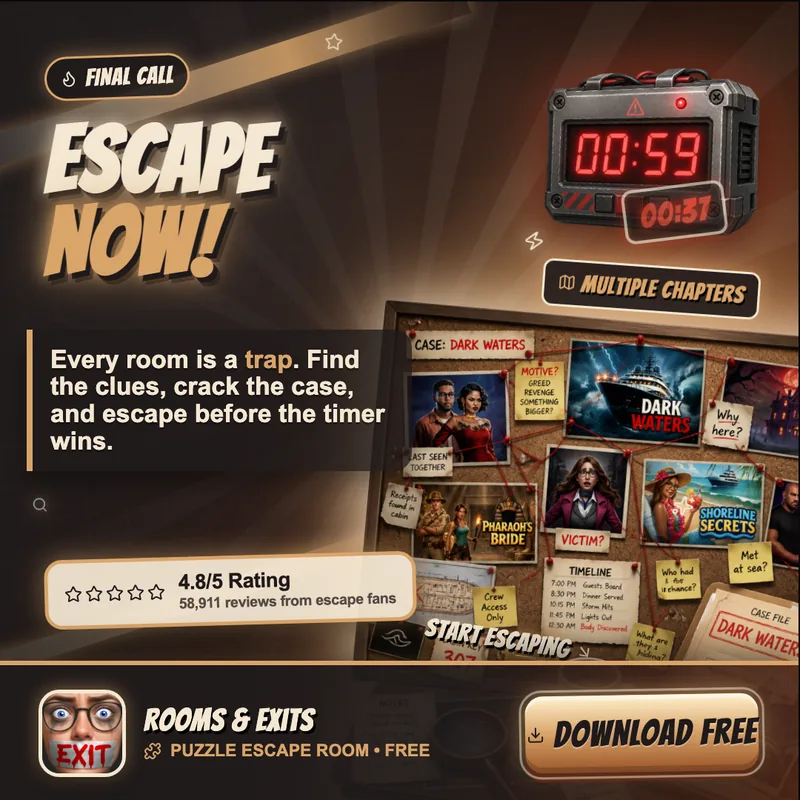
These were generated from a live Google Play Store listing — animated stories, square feed ads and stills, all editable.
How to make ads from a Google Play Store link
Paste the link
Copy your app's Google Play URL and drop it into Vidscape.
Confirm the brand
Review the detected icon, colours, rating and screenshots — tweak anything.
Generate the batch
Vidscape creates animated and static ads in every size, in your style.
Edit & export
Adjust any layer, then export ready-to-post videos and images.
Can I make Google Play ads for free?
Yes. You can paste your Google Play link and generate your first batch of ads at no cost — see the creatives, preview the animations and try the editor before committing to anything.
Because everything is generated from your real listing, you're not paying a designer to recreate assets you already have. Vidscape reuses your icon, screenshots and key art directly.
What kind of game and app ads does it create?
Vertical 9:16 ads for TikTok, Instagram Reels and Stories; square 1:1 ads for feed placements; and static stills for quick posts. Each one leads with a strong hook, shows real gameplay or app screens, and ends with a clear install call-to-action.
For mobile games specifically, Vidscape leans into a bold, neon, thumb-stopping style — and you can take any generated ad even further in the editor.
Does it work for any Android app — not just games?
It works for any app with a Google Play listing: games, productivity tools, fintech, health, education and more. The difference is the styling — Vidscape adapts the look to your category and brand instead of forcing one template onto everything.
FAQ
Questions, answered.
Paste your app's Google Play URL into Vidscape. It reads your icon, screenshots, description, rating and install count, then generates a batch of editable ads — vertical, square and still — in your app's colours and fonts. Review, edit any layer, and export.
Yes. Vidscape pulls your star rating, review quotes and install milestones from your live Google Play listing. It never invents numbers or fake reviews — you review everything before exporting.
Every ad stays fully editable. You can move the headline, swap a screenshot, change colours, edit the call-to-action and adjust the animation — then export the final video or image.
9:16 vertical ads for TikTok, Reels and Stories, 1:1 square ads for feeds, and static stills — all generated in one campaign from the same Google Play link.
No. It works for any Android app on Google Play, from games to SaaS and utilities. Game ads get a bolder arcade styling, but every category is matched to your real brand.
Your Play Store page is one paste away from a campaign.
Paste the link. Approve it. Edit it. Ship it.
powered by Claude · every pixel stays editable